NEW DROP: we’ve added heart rate charts and workout stats to your workout recap screen! Now you can track max weight, reps, and total volume for the last three months in the Ultimate Strength Training Journey.
Plus, if you work out with a connected wearable like an Apple Watch, Garmin, or FitBit, you’ll get heart rate zones and heart rate charts at both the session and interval levels to help you better understand your stamina and training intensity.
Let’s take a closer look at what you can expect with these new stats features.
Heart Rate Charts
Understanding your heart rate and utilizing heart rate zone data is an excellent way to gauge your training intensity during a workout. It can also be a helpful tool for tracking your stamina and overall performance.
To take full advantage of this exciting new Coach feature, there are a few things to keep in mind.
Who can see their heart rate charts?
This new heart rate charts feature is available to all Coach users across any Training Journey, but you need to have a connected wearable device, like an Apple Watch, Garmin, a heart rate monitor, or simply anything that records heart rate data on your Health app, to receive heart rate charts.
Before you start training, make sure that you’ve allowed Freeletics to access your heart rate data from your Health app. Also, don’t forget to double-check that your age is up to date in the app, too; this is used to calculate your heart rate zones.
Inside the heart rate charts
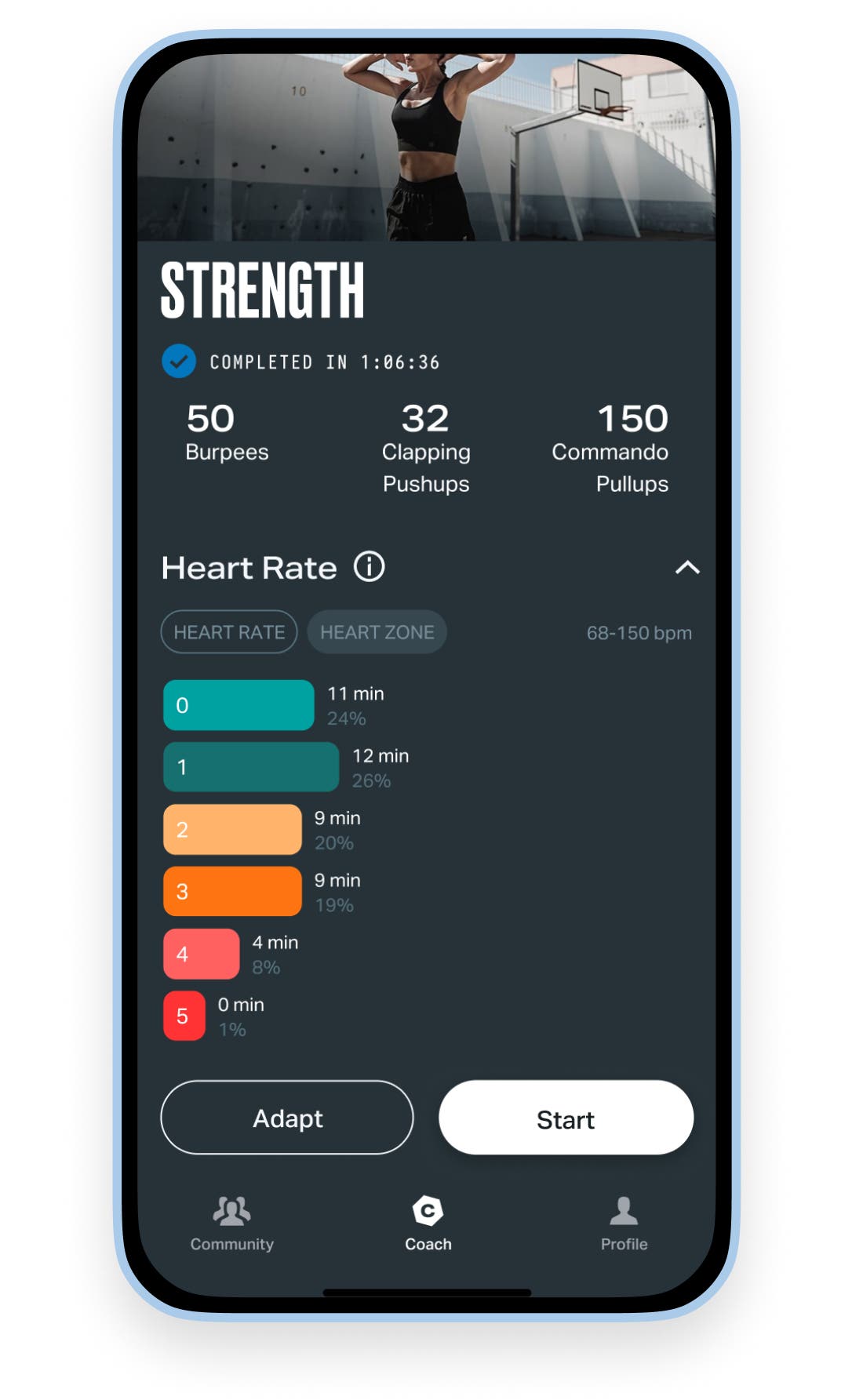
Your heart rate chart will appear on your workout recap and include two key charts based on the heart rate data collected:
Heart rate chart: shows your individual heart rate values over time during a Coach workout. This is pulled directly from your Health app.
Heart rate zones chart: shows your individual heart rate zones, calculated using your maximum heart rate (max heart rate) and estimated from your age. To learn more about each zone and what they mean, simply tap into the info sheet for a complete breakdown.
If your charts don’t appear right away, don’t stress – they might take a few minutes to load.
On a privacy note – your data stays private. No heart rate data is saved or shared on the Freeletics app.
Exercise Statistics
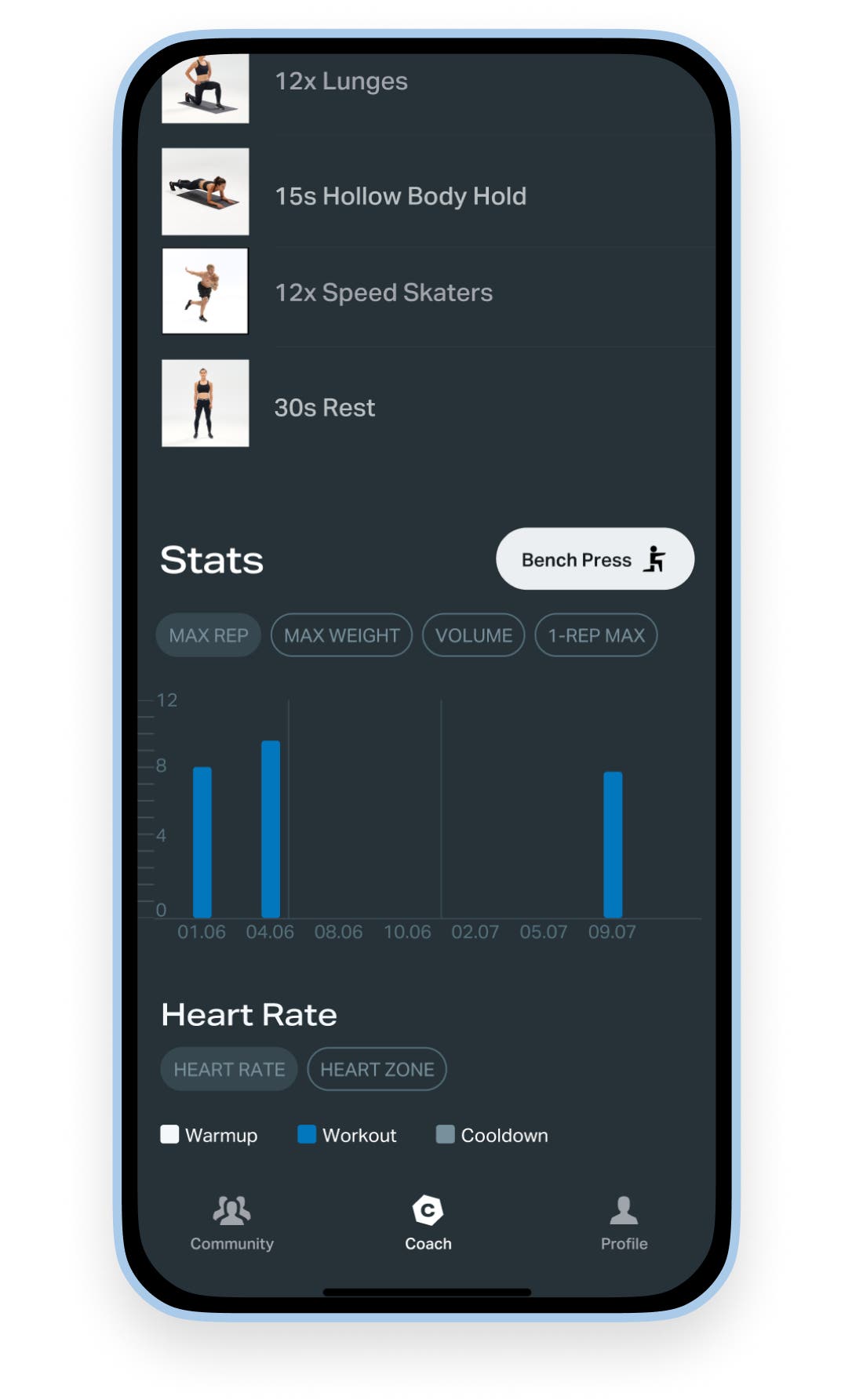
Your workout stats just got that much more granular for those Free Athletes in the Ultimate Strength Training Journey. Now you can dive deeper into your exercise-level progress right in your workout recap! You’ll get both an Interval Recap and a Workout Recap spanning the past 3 months.
The overall exercise stats are broken down into two categories:
Weighted exercises - you’ll see the stats for:
- max weight lifted
- max reps
- total volume
- estimated 1-rep-max*
Bodyweight exercises - the focus for these stats is
- max reps
- total volume
Expert tip – check in on these regularly to track your progress over time and identify areas for improvement.
*Note that the 1-rep-max is an estimate calculated based on your performance.
Let’s recap
Knowledge is power, and the more insights you have into your training, the greater your ability to tailor workouts and improve your overall performance.
If you’re a Free Athlete who thrives on data, you’re going to love these two new features that’ll give you deeper insight into your training to help you level up.
With detailed exercise stats broken down by max weight, reps, and volume, plus heart rate charts and zones showing your intensity and stamina, you can track your progress like never before.
These tools will help you learn to target heart rate zones, work on things like your 1-rep max, and become the strongest athlete you can be.