
If you’re just getting started with Freeletics and want to maximize your results, this step-by-step app walk-through will help you make the most of every workout.
In this complete beginner’s guide, you’ll learn everything you need to know about how to use Freeletics to transform your fitness, build consistency, and unlock the best version of yourself while achieving lasting results.
Let’s dive in!
Time to get honest
After you’ve signed up to Freeletics, you’ll be guided through a series of questions about who you are, your fitness goals, training preferences, and overall fitness background. While it might feel like a lot at first, every answer has a purpose and plays a key role in shaping your experience.
When you first log in, you’ll have access to the free version of the app, so you can explore and try out a few workouts right away. Once you subscribe, you’ll unlock full access to the app and, most importantly, your digital personal trainer, also known as the Freeletics Coach.
The Coach uses the information you provided in the onboarding questionnaire as a foundation to create your personalized workout plan. And the cool part is that the Coach adjusts along the way – taking your feedback into account, adjusting your workouts, and helping you stay on track toward your goals.
Giving the Coach insight into your profile and fitness background is the first step – the next one is selecting the right Training Journey to make Freeletics truly your own.
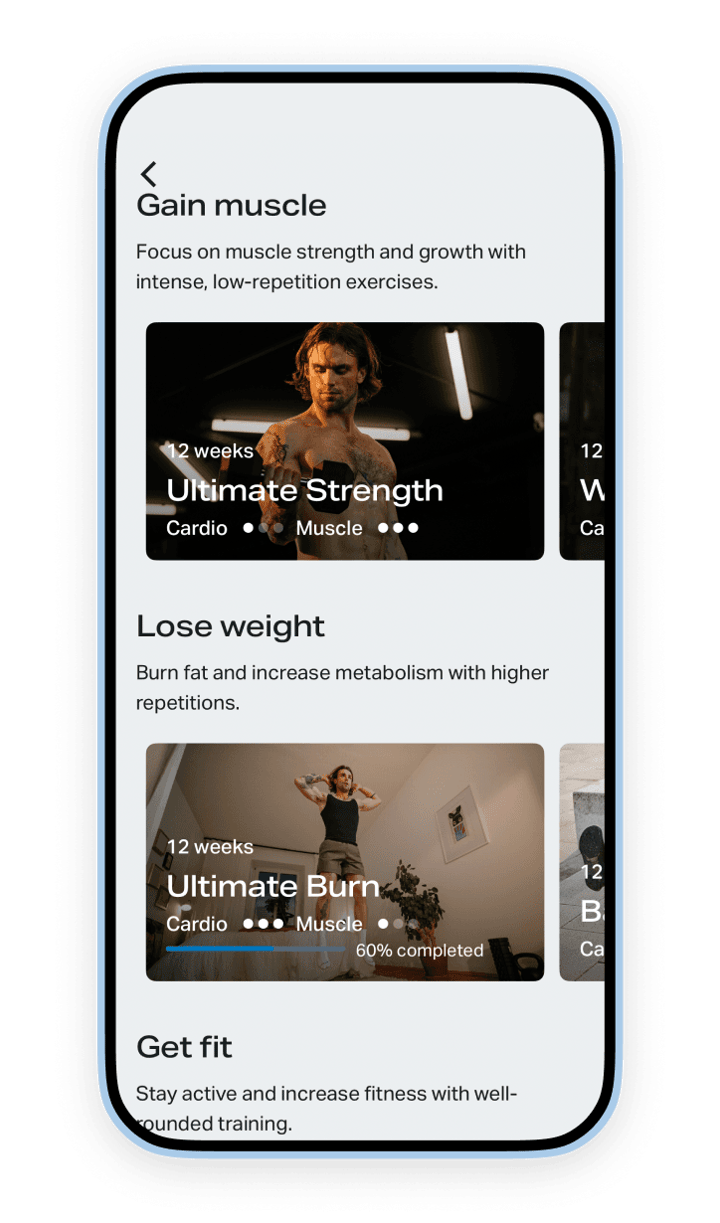
Choosing a Training Journey
A Training Journey is the structured workout plan you follow when you train with Freeletics. You’ll receive personalized recommendations that match your fitness goals and preferred training style.
At the top, you’ll see the one that we think best matches your goals. But you’re not limited to the recommendations; feel free to explore the Training Journey library and select a plan that’s the right fit for you! The Training Journeys are organized according to fitness goals, and some may appear in multiple categories.
There’s plenty of variety to explore from bodyweight, hybrid training, running, heavy lifting, and more! Training Journeys last 6-12 weeks and include workouts tailored to you that continuously adapt as you progress.
The goal is to provide a well-rounded, guided, and personalized experience so that, no matter your fitness level, goals, or interests, you can find a path that supports your progress and helps you stay consistent.
Customize it and make it yours
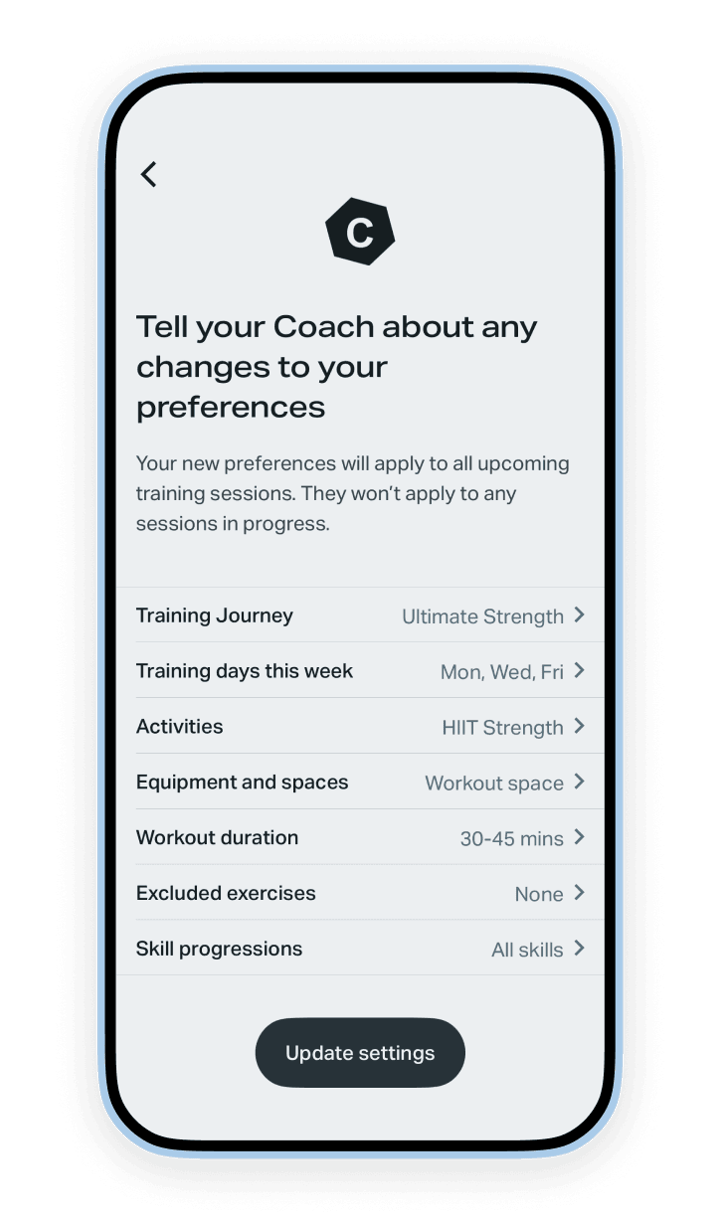
Got your Training Journey? Now it’s time to make it your own. And that means customizing it! Start by tapping the settings icon in the top-right corner of your Coach tab.
Here you can get granular with:
- How many days per week you’d like to train
- Set your available equipment and spaces where you work out
- Choose the average duration of each session
- Exclude any exercises
- Set your Skill Progressions
Trust us, taking a moment to set up your Workout Spaces is 100% worth it and is truly a game-changer if you’re working out in different locations with different access to equipment.
Feel free to activate your Skill Progressions if there’s an exercise you’d like to master or exclude exercises if there are some moves you’d like to avoid.
Once you’re dialed in, simply tap “Update Settings,” and you're ready to go!
Get to know your tabs
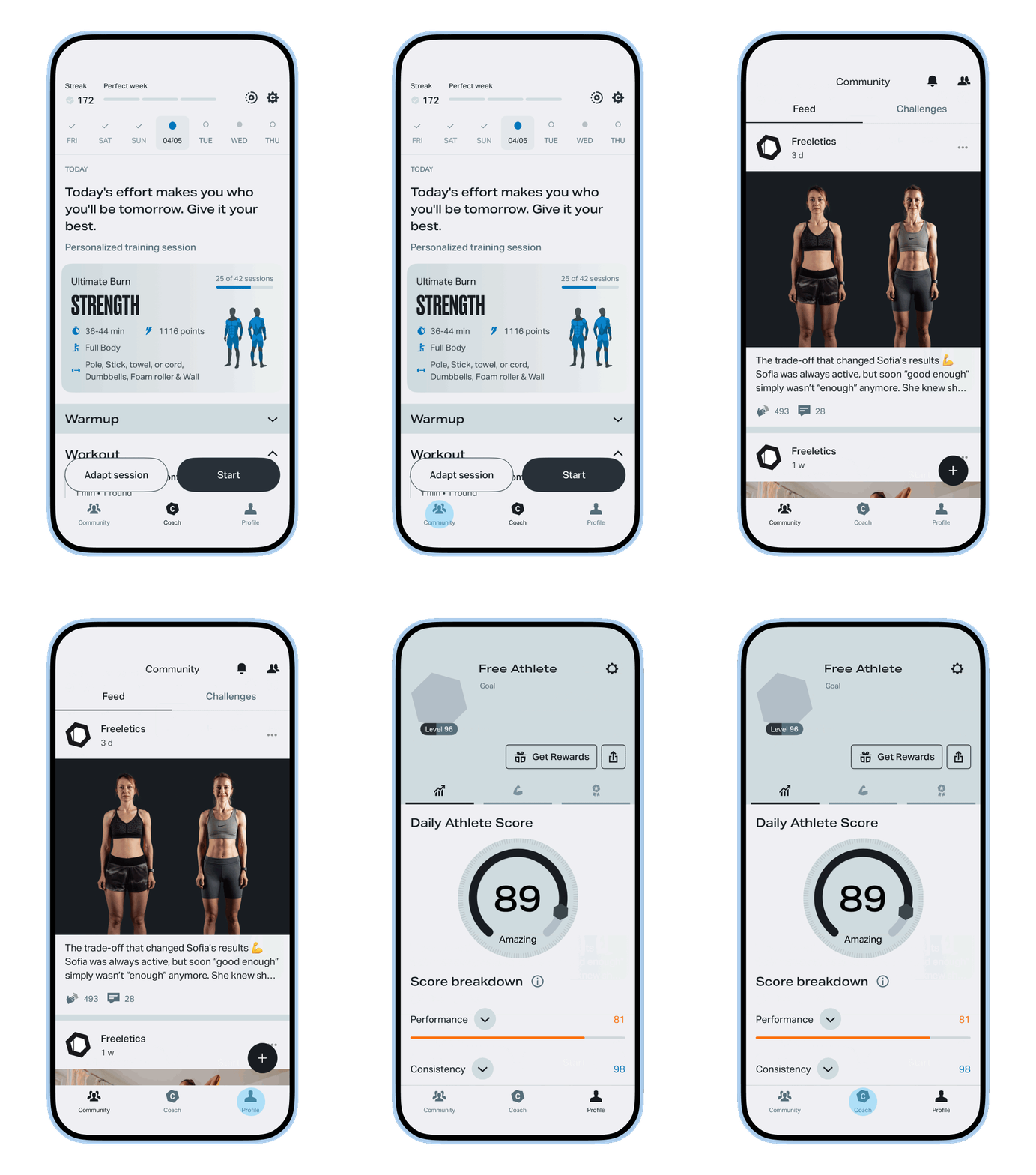
In the app, you’ll find three main navigation tabs at the bottom of your screen: Community, Coach, and Profile.
Here’s a quick breakdown to help you get familiar with each one:
Community Tab | Coach Tab | Profile Tab |
|---|---|---|
Connection & Motivation | Your Daily Workout | Data & Settings |
Freeletics Social Feed Post your workouts Interact on posts | Access your personalized daily workout "Explore All" section for extra exercises or signature God workouts | Tracking your Daily Athlete Score Checking leaderboards Manage account & subscription settings |
Quick tip: Head to the Community Tab to take part in official Challenges or create your own for an extra layer of motivation. Don’t forget to follow others – it’s the best fitspo hack out there.
Understanding your calendar
Once you’ve finished setting everything up, your workout calendar will appear at the top of the screen on your Coach Tab. The solid circles indicate your planned workout days.
In the top left, you’ll see your streak counter, along with a tracker counting down the days for your perfect week.
Note: if you don’t have a workout planned for today but want to work out, tap the next solid circle in the calendar to see and start that workout. Your Coach will adjust the rest of your workouts accordingly.
Just below the calendar is the hexagon heart of the app: your Coach Day workout!
Meet your workout
On the main Coach Tab, you’ll find your scheduled session for the day. Based on the days you selected to train, this will either be your Coach Day workout or a Mobility Day.
At the top of the workout, you’ll see a quick overview of what to expect, including the duration, the equipment required, the focus of the workout, and the muscles you’ll target. As you scroll, the workout is organized into different sections – always starting with a Warmup and ending with a Cooldown.
We’ll get into how to modify your workout in the next section, but if you’re happy with your session and are ready to begin, simply tap the “Start” button on the screen to get going.
How to change your session
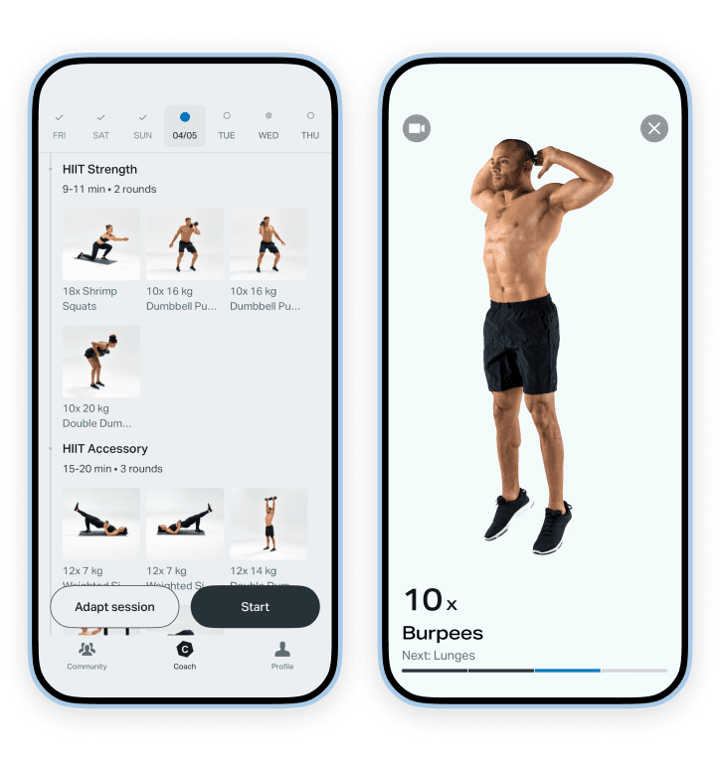
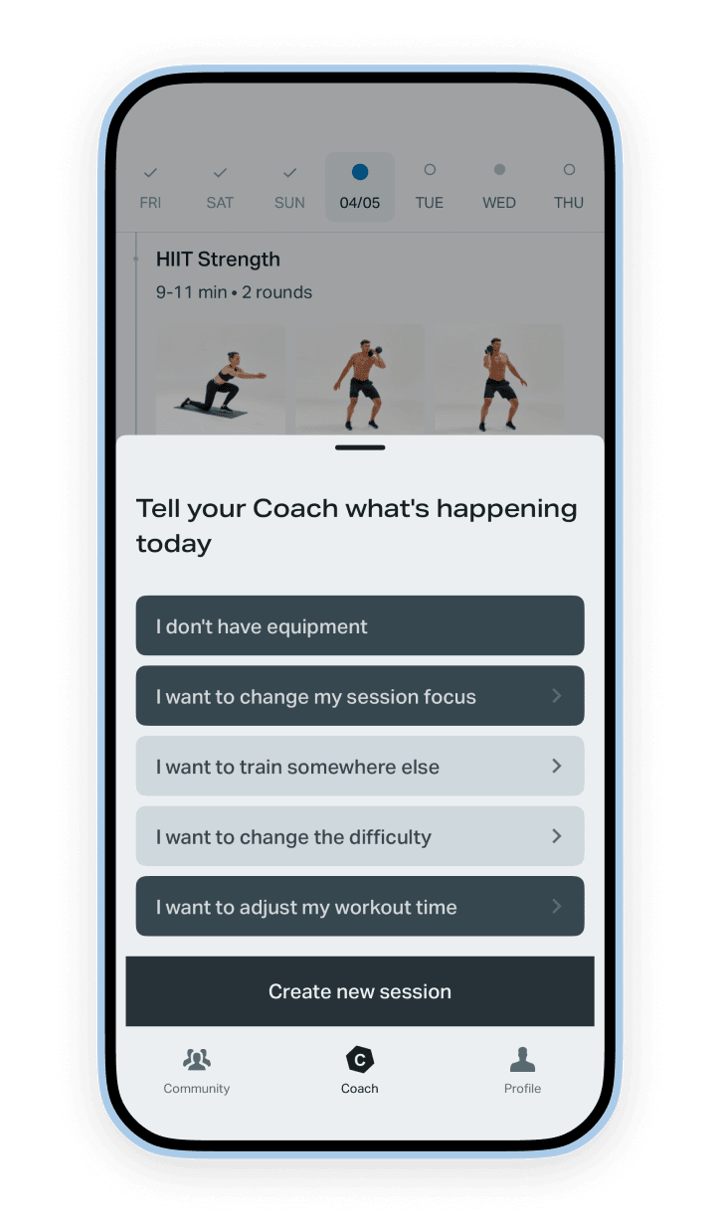
You may have noticed another button next to “Start” called “Adapt session” – and trust us, it’s sure to become your training BFF.
“Adapt session” is the holy grail for making changes to your Coach-assigned workout. Don’t have access to equipment? Need to train quietly? Want to change your workout focus? Make it harder, shorter, something else completely?
Simply tap and get exactly what you need.
The “Adapt session” option is there to help you get your workout in, no matter what. It gives you the flexibility to make your workout fit into your life, not the other way around.
Because that’s the reality of daily life – some things are out of your control, but at least you can modify your workout to get some movement in. After all, a short workout is better than no workout.
More to explore
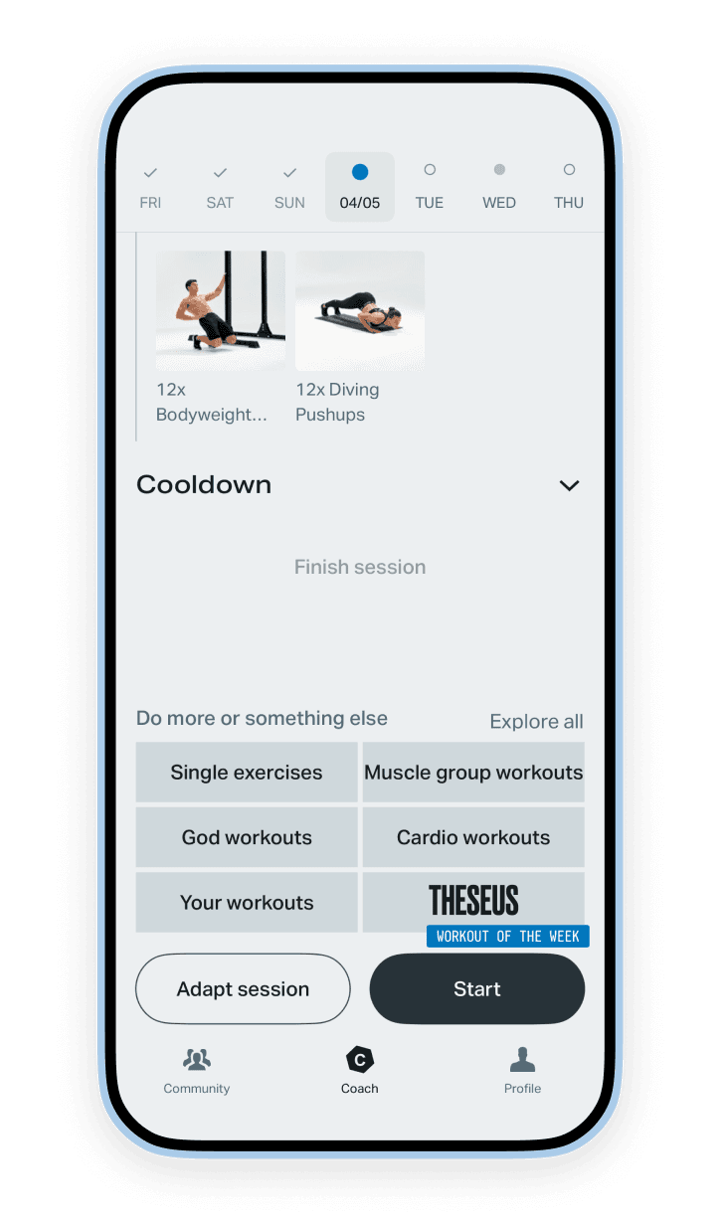
Directly underneath your daily Coach workout is the “Explore all” section, there for exactly that: to give you more options to move your body. Maybe you feel like adding on to your Coach Day workout, or maybe you just want to mix things up and do something different entirely.
And there are loads of options to choose from, broken down into different categories. Here’s a quick overview of each category and what you can find in each:
- Single exercises: our exercise library includes over 700 individual movements. Use the search and filter at the top to find exactly what you’re looking for.
- Muscle group workouts: On-demand workouts curated to target specific areas like Core, Upper body, Lower body, and Full body.
- God workouts: signature Freeletics HIIT workouts built to push your limits. Give your max effort in an attempt to beat the clock. It’s a great way to measure your progress over time.
- Cardio workouts: Go for a row, bike, or run and track your progress.
- Your workouts: create your own custom sessions and save them here for easy access!
- Workout of the week: a God workout roulette that changes week-to-week if you’re looking for an extra challenge.
Tracking your progress
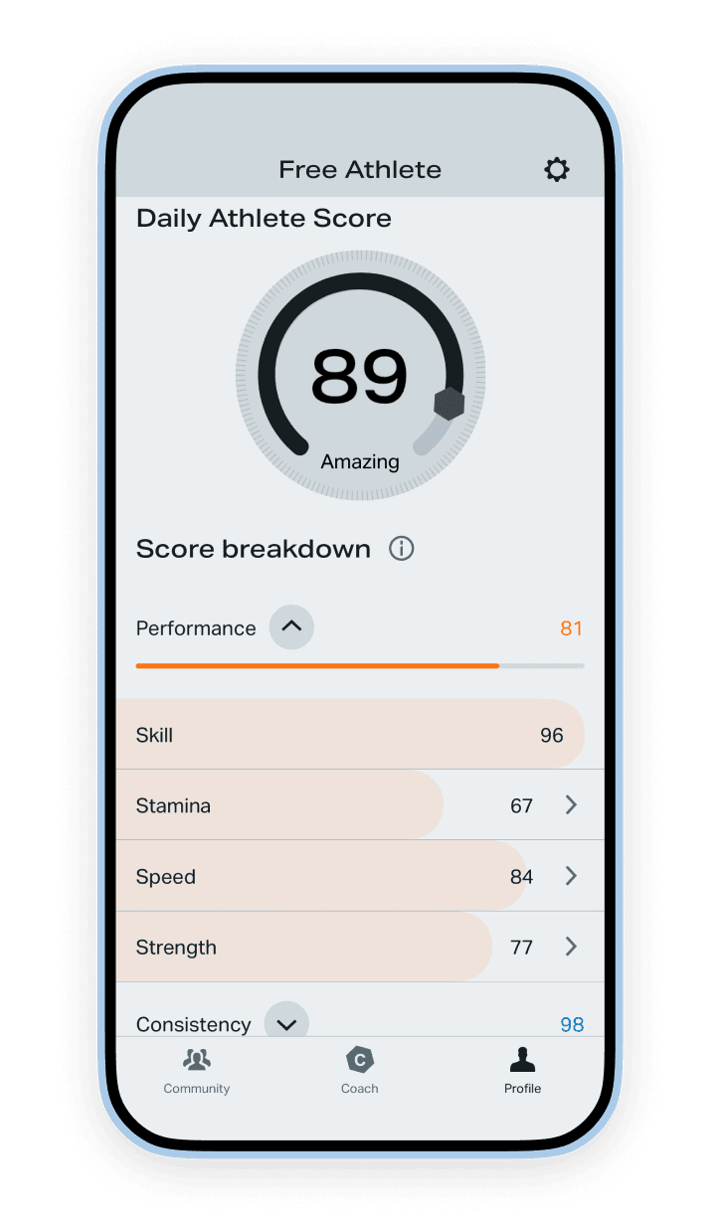
If data is your thing and you love to visualize your progress, then don’t sleep on the Daily Athlete Score found on your Profile Tab. This score gives you a real-time snapshot of your performance, consistency, and skill level.
It’s based on your best performance over the past 90 days and benchmarks it against similar Free Athletes, helping you to identify areas that have room for improvement.
Let’s recap
You’ve finally got everything you need to reach your fitness goals. And the best part? It’s all in one place.
From personalized workouts to community challenges to science-backed progression that fits into your lifestyle, and performance insights that help you train smarter.
Every feature, every tab is designed to help you stay consistent and move forward at your own pace.
The rest is on you. So roll out your mat, tap “Start” and get after your goals!
Still have questions? Head over to the Freeletics Forum and get answers from our Community of experienced Free Athletes from all around the world.
Try Freeletics now

